Know what's at home — and what's about to run out.
📱 Screenshots show the iPhone app. The Android app works the same way — only small platform details differ.
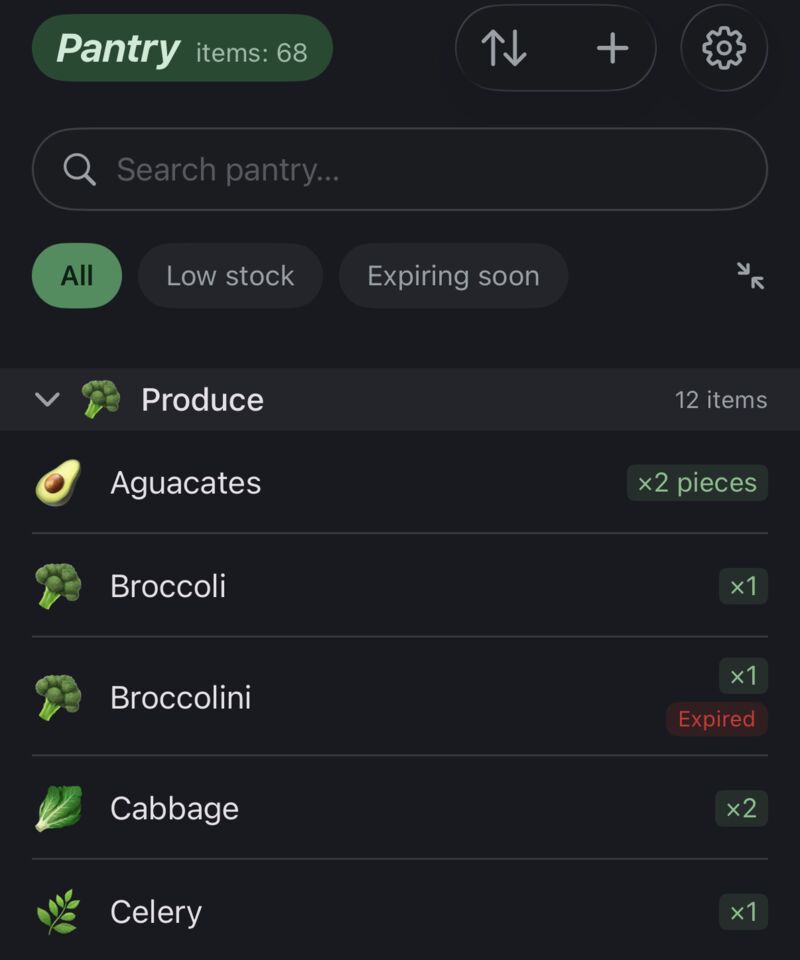
The Pantry tab (third tab, bottom right) keeps track of what you have at home — how much, and when it expires. It quietly feeds back into your shopping: a "Running low" nudge on your list, an expiry warning before food goes to waste, and a one-tap way to log everything you just bought.
Tap any pantry item to edit it; swipe it left (or long-press) to delete.
Each item can carry an expiry date, shown as a colour-coded chip — orange when it's getting close, red once it's past. The toolbar gives you:
When you tap Done after a shop, the app offers to log what you bought:
Expiry dates aren't part of this quick flow — pop into the Pantry tab afterwards to add dates to the perishables you care about.
The pantry watches itself so you don't have to. On the List screen you'll see a "Running low" chip when stock drops, and an expiry banner when something is about to go off (red if it already has). Tap either to jump to the Pantry; both can be dismissed for the session.
Want a daily summary instead of checking? Turn on Pantry low-stock & expiry alerts in Settings → Pantry — one notification a day, only when there's something worth knowing.
Related guides: Barcode Scanner · Recipes · Settings
 Tim Weston Apps